
How it Works
Design it yourself, in about five minutes
Get an instant quote on any quantity and any item
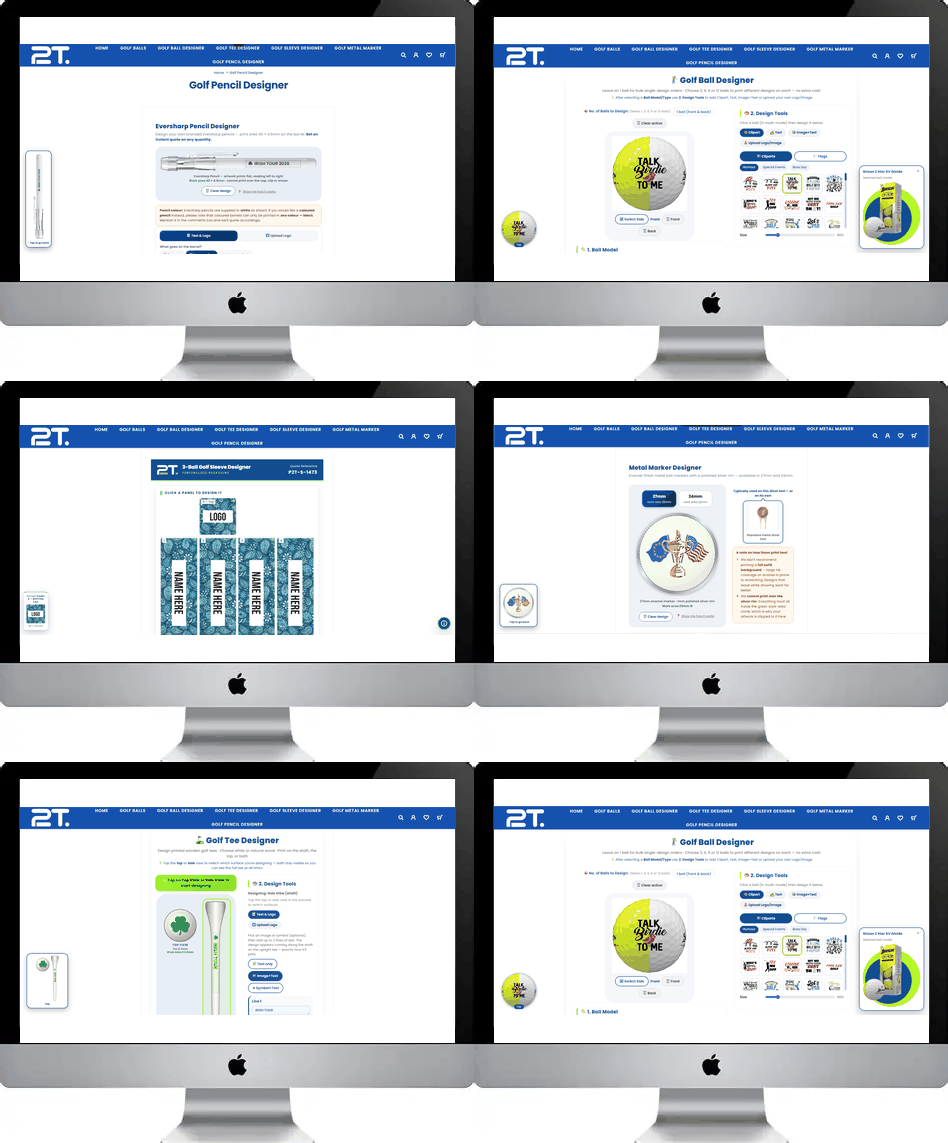
Every product on our site has its own online designer. They all work the same way, so once you've done one you can do them all. No design software, no artwork fee, and no obligation — you only pay once you've seen and approved your quote.
Pick your product
Choose the item you want branded and open its designer. Each one opens with a short walkthrough the first time — you can skip it, and bring it back any time with the “Show me how it works” link under the preview.
Choose your options
Before you design, set the basics. What you'll see depends on the product:
- Size — markers come in 27mm and 24mm, both the same price
- Colour — tees are available in white or natural wood
- Which surfaces to print — tees can be printed on the shaft, the top, or both
Your quote updates the moment you change any of these, so there's no guessing what an option will cost.
Add your design
There are two ways in, and you can pick whichever suits you:
- Text & Logo — type your wording, then add a symbol or a picture from our clipart libraries. Around 200 symbols plus golf icons, special occasions, birthdays and world flags.
- Upload Logo — send us your own artwork instead, and add wording alongside it if you want.
Choose your font, size, colour and letter spacing per line. If you work in CMYK, you can enter exact values rather than picking from the palette.
Position and resize it
Drag anything with one finger to move it. Pinch with two fingers to resize. On a laptop, click and drag, and use the sliders on the right for precise control.
The green dashed outline is your printable area. It's always visible, and it's the exact area we can print on that product — so if your design fits inside it on screen, it fits on the real thing.
Check it as you go
The main preview shows your artwork on the actual product at true proportions. As soon as you scroll down to the design controls, a small preview appears in the corner and follows you, so your design is always in view. Tap it to jump back to the top.
Set your quantity
Type how many you need and watch the price update live. Your quote breaks down into the item cost, the printing, and a once-off setup fee — charged per order, never per item.
Send it to us
Hit submit and enter your contact details. You'll get an email straight away with a preview of your design on the product, plus your quote number and a full price breakdown. Our team reviews the artwork and comes back to you within 24 hours.
Nothing goes into production until you've confirmed you're happy. If something needs adjusting, just reply — or go back into the designer and submit a revision, and we'll link it to your original quote.
A few things worth knowing before you start
- We can't print white. White ink doesn't hold on these products, so there's no white in any of our colour palettes. Choose darker, saturated colours so your design stands out — this matters most on natural wood tees.
- Keep it inside the green line. We can't print over metal rims, caps, clips or erasers. The designer clips your artwork to the printable area automatically, so you'll see straight away if something is too large.
- Go easy on solid backgrounds. On enamel markers especially, heavy ink coverage is prone to scratching. Designs that leave some of the background showing wear far better over time.
- Vector artwork prints sharpest. Upload a JPEG or PNG to design with, then email us the vector file (AI, EPS or PDF) quoting your quote number. If you only have a photo or a low-resolution logo, tell us and we'll advise before printing.
- Prices exclude delivery. Add your suburb when you submit and we'll include courier costs in your formal quote.